Free tool

Scan to PDF or Flatten a PDF, Free

Turn phone photos of paper pages into one clean PDF, or flatten a filled-in PDF so nothing in it can be changed. Everything runs in your browser.

Free, no account. Runs in your browser: nothing is uploaded.

In Short

To flatten a PDF, open the free Scan to PDF tool, add the PDF, and select Download PDF. Form fields, typed answers, comments, and drawings become part of the page, so nothing in it can be changed. Everything runs in your browser, so the file is never uploaded. The same tool turns phone photos of paper pages into one clean PDF.

Flatten a PDF

How to Flatten a PDF in 3 Steps

  1. Open Scan to PDF. Go to Scan to PDF. No account is needed.
  2. Add the PDF. Choose the filled-in form or the PDF with comments. Add more PDFs or photos to combine them, up to 20 pages.
  3. Download the flat PDF. Select Download PDF. For a single fillable PDF, you can select Or lock only the form fields and keep the text sharp instead.
Why Flatten

When You Need a Flat PDF

Many online tools flatten a PDF by uploading it to their servers. This one does it in your browser, which matters when the form holds your Social Security number, your income, or your health details.

Scan to PDF

How to Scan to PDF with Your Phone

  1. Photograph each page. Lay the page flat in good light, with the whole page in the frame. A slight angle is fine.
  2. Add the photos. Open Scan to PDF and add up to 20 photos. Each one is straightened, cropped to the paper, and whitened.
  3. Check the pages. The pages go into the PDF in the order you added them. Remove any page you do not want.
  4. Download one PDF. Select Download PDF to save one clean, flat PDF of all the pages.
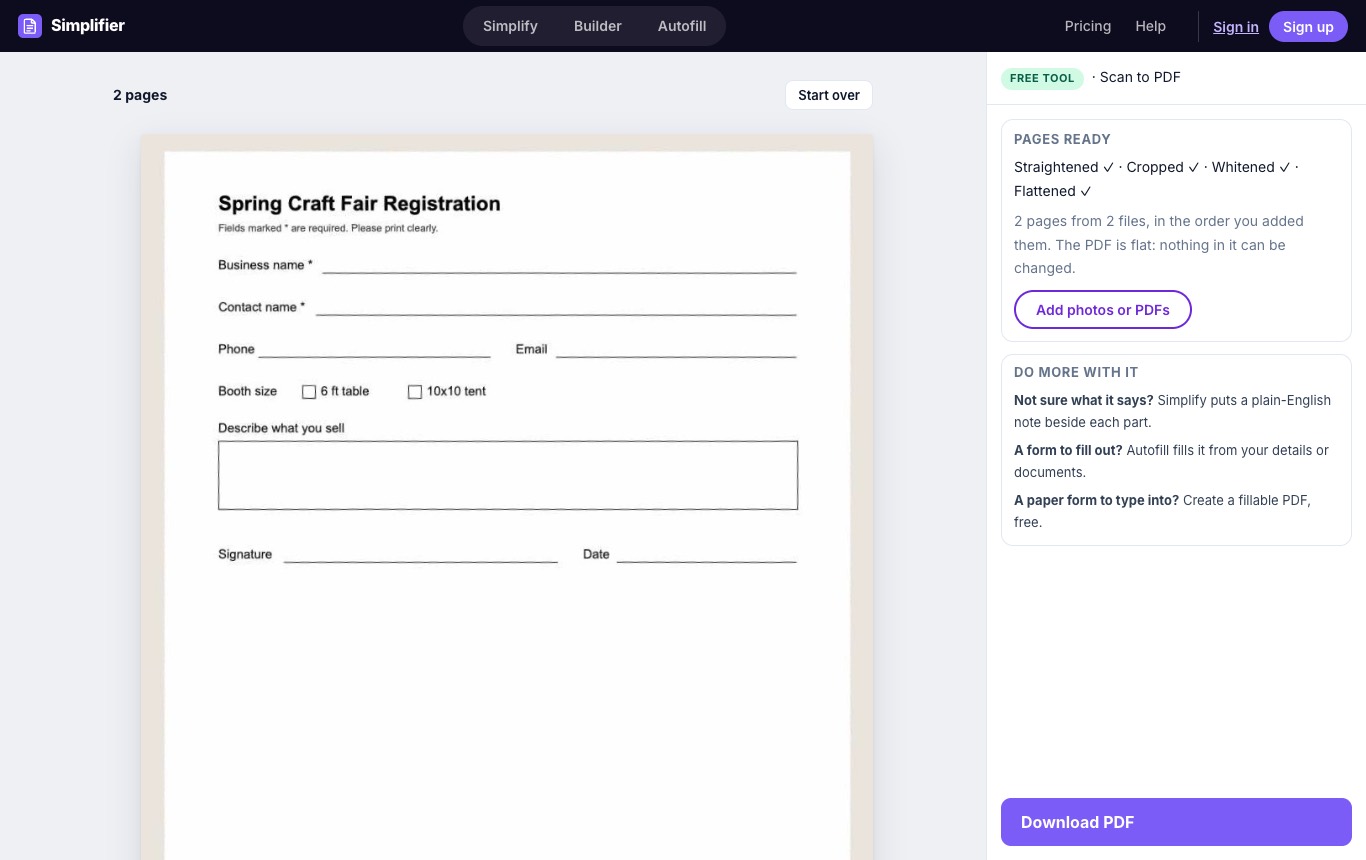
Scan to PDF with two phone photos of a paper form, straightened, cropped, whitened, and flattened, ready to download
Two crooked phone photos, straightened, cropped, whitened, and flattened into one PDF.

Do More With Your Document

Common Questions

Flattening turns everything on a page, including form fields, typed answers, comments, and drawings, into part of the page itself. The result looks the same, but nothing in it can be edited or changed.
Open Scan to PDF, add the filled-in PDF, and select Download PDF. What is typed in the form becomes part of the page. For a single fillable PDF you can also select Or lock only the form fields and keep the text sharp.
With Download PDF each page becomes a clean image, so the text can no longer be selected or searched. With Or lock only the form fields and keep the text sharp, the original text stays as text and only the fields are locked.
No. Take photos with your phone's camera and add them here. Each page is straightened, cropped, and whitened for you.
No. The cleanup, the flattening, and the PDF are all made in your browser. Your files never leave your device.
Up to 20 pages at a time, from photos, scans, or PDFs, in one PDF.
Yes. No account, no watermark, and no limit on how often you use it.

Scan Your Pages Now

Free, no account. Runs in your browser: nothing is uploaded.