A Real Example
A Form Filled Out From One Message
A library card application, filled out from a single typed message.
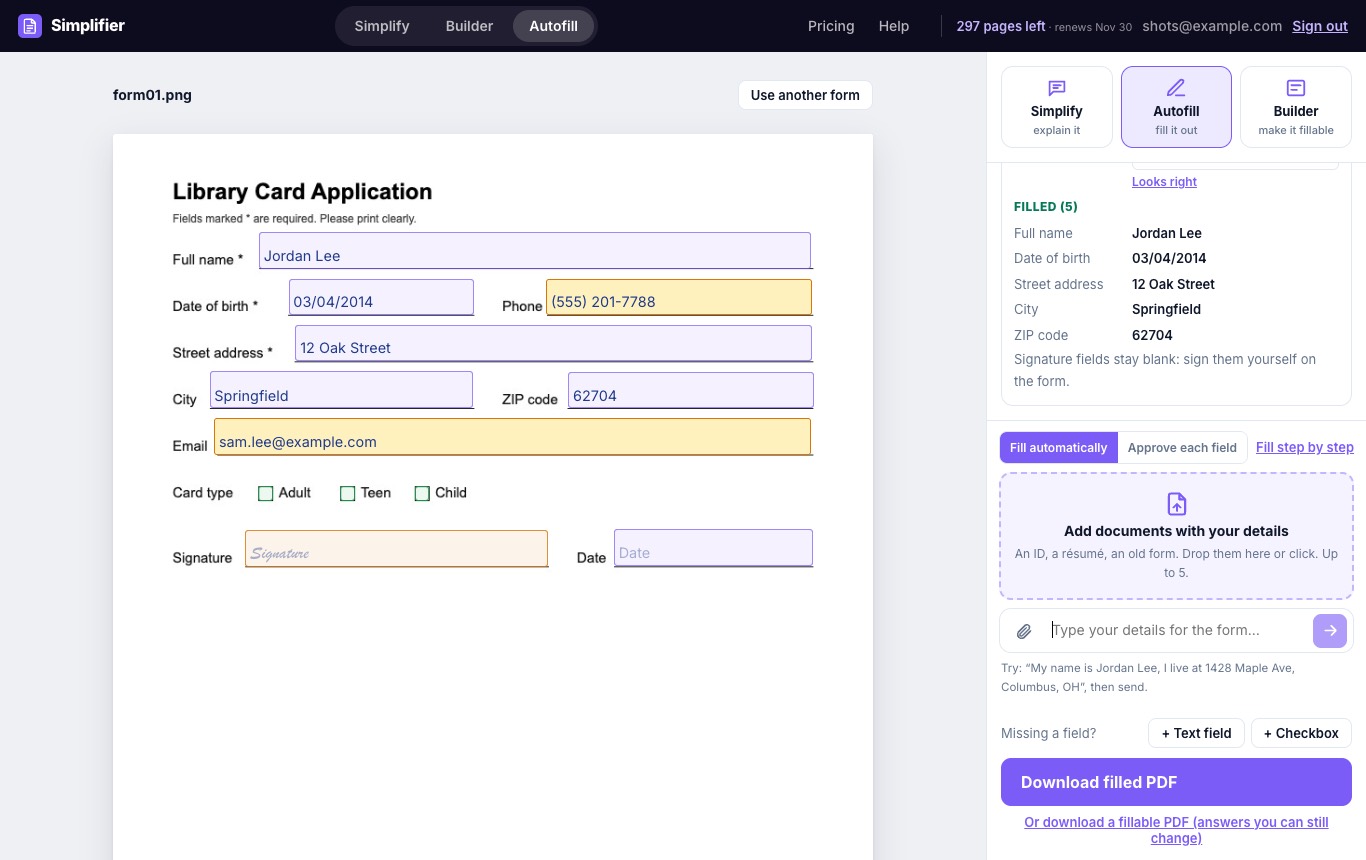
Upload a form, then type your details or attach documents that have them. Autofill fills in the fields, flags what it is not sure about, and gives you a finished PDF.
Every plan starts with a free trial. Cancel anytime.
To fill out a PDF form online with AI, upload the form to Autofill, then type your details in the chat or attach documents that have them, such as an ID, a résumé, or an old form. Autofill fills in the fields it finds answers for, marks anything it is not sure about, and leaves signatures to you. Review the form, then download a flat PDF or a fillable one.
A library card application, filled out from a single typed message.
Autofill does the typing. You make the decisions.
Type your details, or attach up to 5 documents that have them: an ID, a résumé, a pay stub, a previous form.
Every field is marked Filled, Please check, or Needs your answer, so you know exactly what to look at.
Fill everything at once, approve each answer one by one, or fill the form step by step, one field at a time.
Download a flat PDF that is ready to send, or a fillable PDF whose answers you can still change.
Autofill works on most forms that ask for the same personal details: rental, job, school, and membership applications, new-hire and new-client paperwork, and tax forms. Our step-by-step guides explain two common ones line by line: how to fill out Form W-9 and how to fill out the 2026 Form W-4. New to PDF forms? Read how to fill out a PDF form online.
Pass the same document to another tool without uploading it again.