A Real Example
From a Crooked Photo to a Fillable PDF
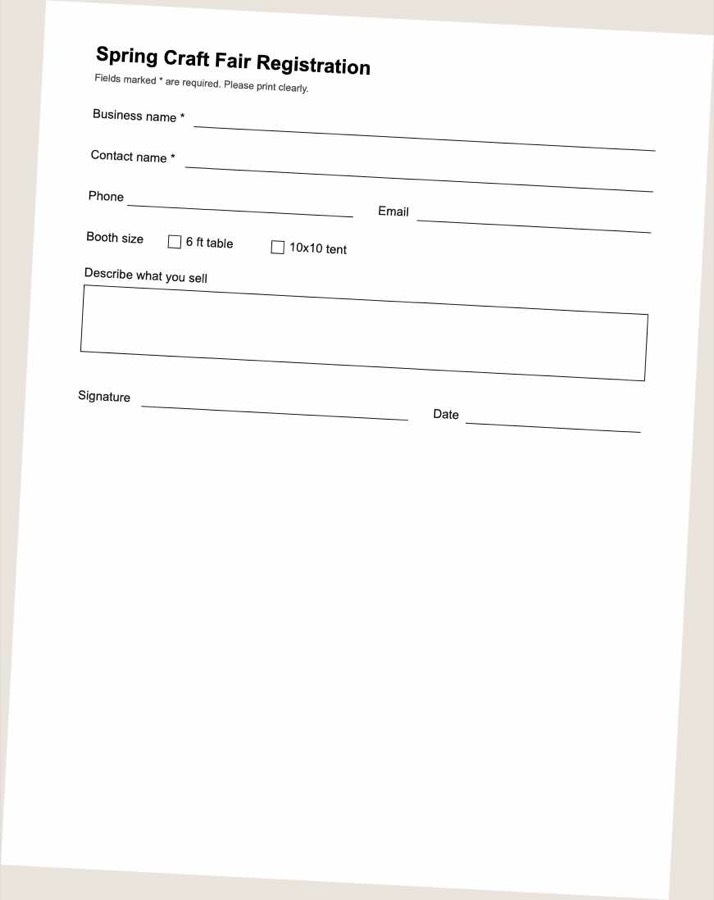
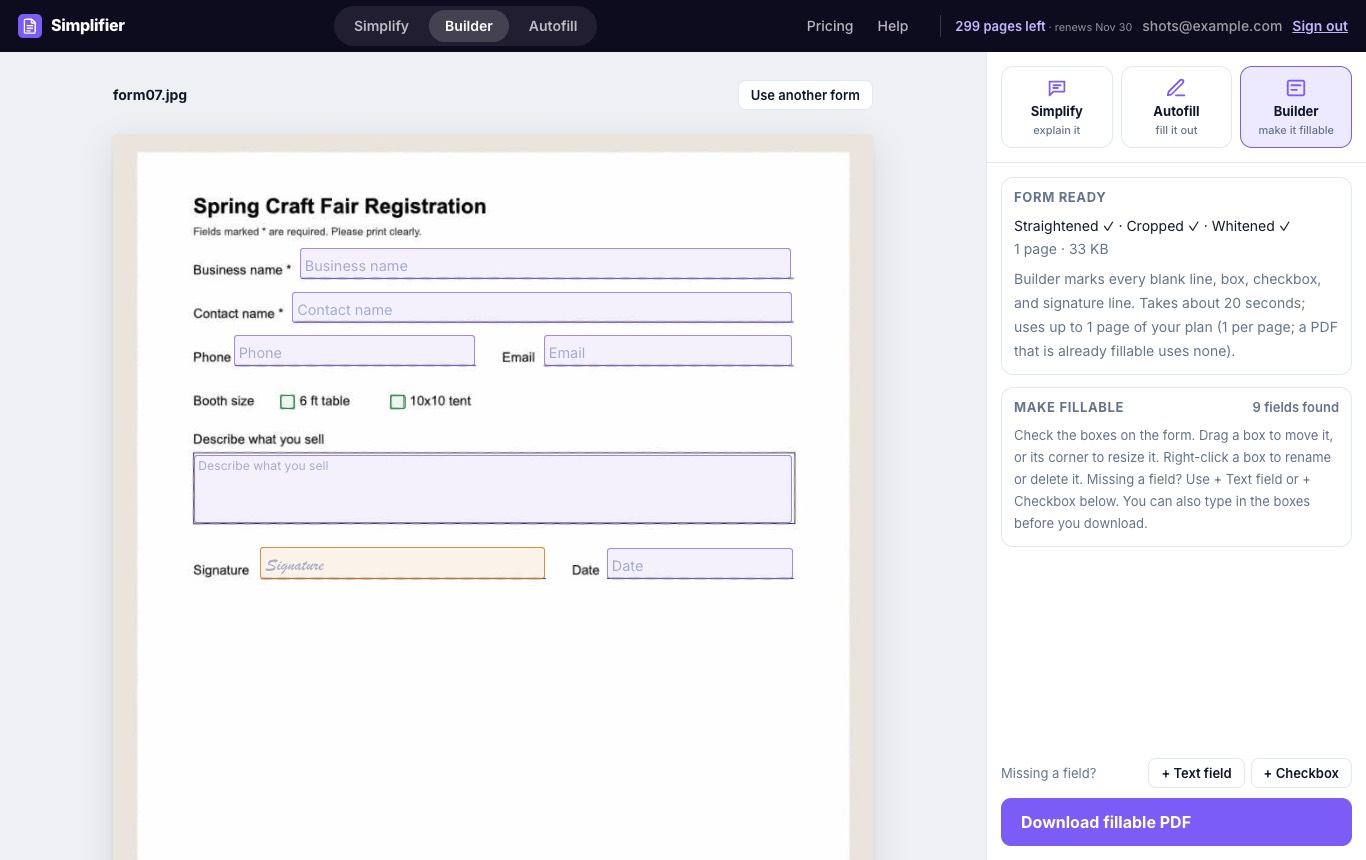
A phone photo of a paper registration form, taken at an angle, and the same form after Builder.
Upload a PDF, a scan, or a photo of a paper form. Builder finds the blanks, boxes, and signature lines, names each field, and gives you a fillable PDF.
Every plan starts with a free trial. Cancel anytime. Or try the free version →
To convert a PDF to a fillable form, upload it to Builder and select Find the fields. Builder straightens and cleans the page, finds every blank line, box, checkbox, and signature line, and names each field from the words printed beside it. Fix anything you want, then download a fillable PDF. A one-page form takes about 20 seconds.
A phone photo of a paper registration form, taken at an angle, and the same form after Builder.
Builder does the tedious part, and you stay in control of the result.
Underlines, boxed answers, and large text areas become text fields sized to the space on the page.
Each printed box becomes a checkbox you can tick, named after the option next to it.
Signature lines become signature fields, and date lines are set up for dates.
AI reads the whole form to name each field from its label, set its type, such as date, phone, email, or number, and mark required fields.
Many official forms are already fillable PDFs. When a PDF has fields, Builder reads them as they are, with their names, and no pages of your plan are used. For a flat PDF, a scan, or a photo, each page of the form uses one page of your plan.
Build the form once, then fill it out on screen every time after that.
Schools, clubs, and offices that still hand out photocopies.
Turn your own paper forms into ones that customers and staff can complete on screen.
Both turn a paper form into a PDF anyone can type into. The free tool is a good start; Builder adds AI that reads the whole form.
| Create a Fillable PDF (free) | Builder | |
|---|---|---|
| Finding the fields | Our field detection model | The same model. If it cannot read a page, AI (Claude) finds the fields itself |
| Naming the fields | From the words printed next to each field | AI reads the whole form and names each field, sets its type (date, phone, number) and marks required fields |
| Hard forms | May miss fields or give rough names on dense or unusual layouts | Built for dense forms and unusual layouts |
| Length | Up to 5 pages | Up to 100 pages |
| How often | 3 forms a day | Uses the pages in your plan |
| Price | Free with an account | Subscription |
Pass the same document to another tool without uploading it again.